Inventory Management
Track stock, prices, categories, units and inventory levels.
Business Management & POS
Simple business management, inventory, billing and sales — all in one powerful desktop application.
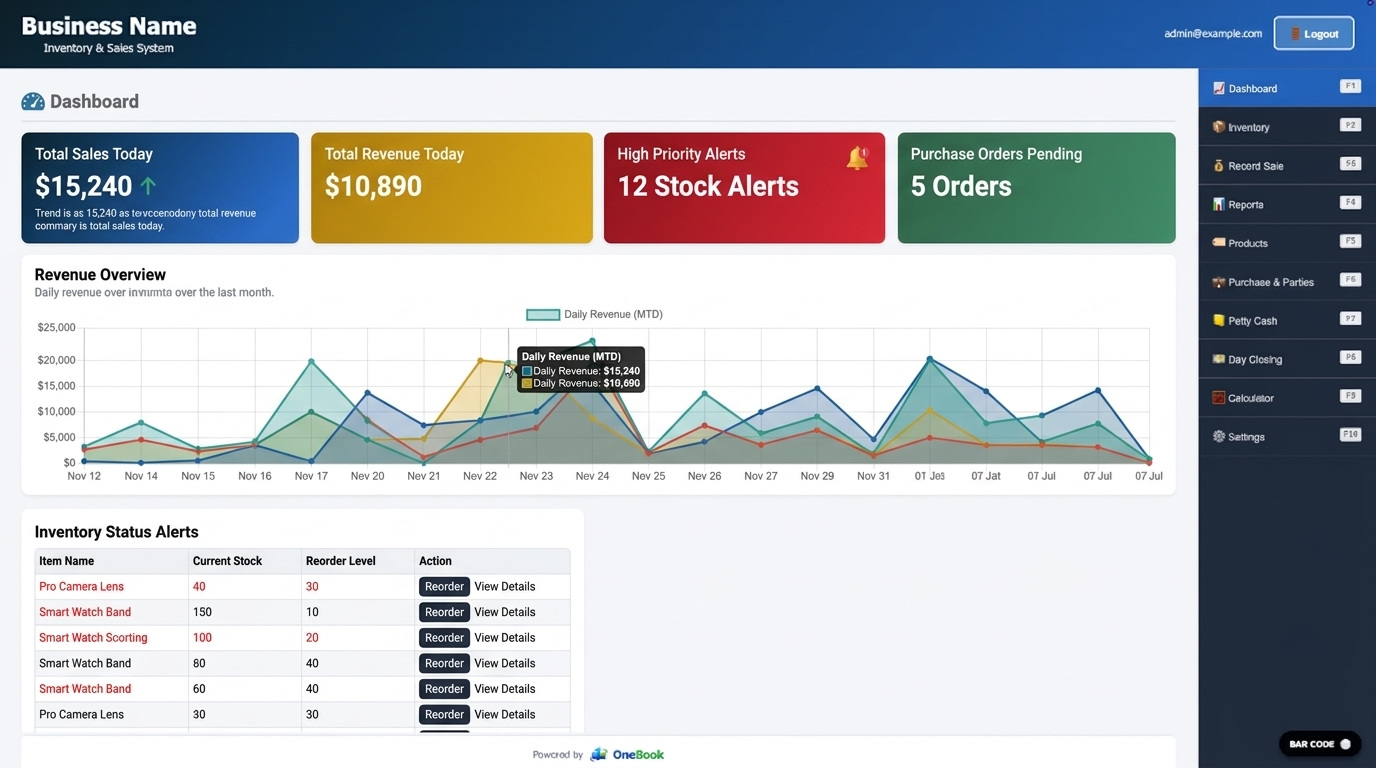
OneBook brings the daily work of running a business into one focused desktop application.
Explore every featureOne application. One clear view.
Handle products, sales, suppliers, reports, cash and closing without switching between disconnected tools.
Track stock, prices, categories, units and inventory levels.
Create sales bills, manage customers, payments and receipts.
Review bill-wise, item-wise and sales summary reports.
Create and print product labels and barcodes.
Manage purchases, suppliers, purchase history and payables.
Manage customer information and receivables.
The real product
Every screen shown here comes from the OneBook desktop application.
A focused overview of sales, stock and business activity.
Stock levels, pricing, purchase orders and product status in one view.
Fast barcode billing, customer details and payment handling.
Why OneBook
Offline-first operation keeps essential day-to-day work on your computer.
Your operational data stays with the desktop application and its backup flow.
Use Demo Mode to explore the product before license activation.
Connected workflows cover sales, inventory, cash and daily reconciliation.
Made for practical businesses
From website to workspace
The website helps you understand and download OneBook. Demo Mode, activation, business setup and owner access happen inside the desktop application.
Start with Demo Mode
Download OneBook and choose Continue in Demo Mode when you launch the application.